Skip to content

Compare your options

Robot vacuum comparison for your floors

Use this robot vacuum comparison to choose between offline vacuuming, a dust-emptying dock and a fuller mop station. Compare three exact models, then match their features to your rooms and daily routine.

If you buy through a product link, FasterBuyers may earn a commission at no extra cost to you.

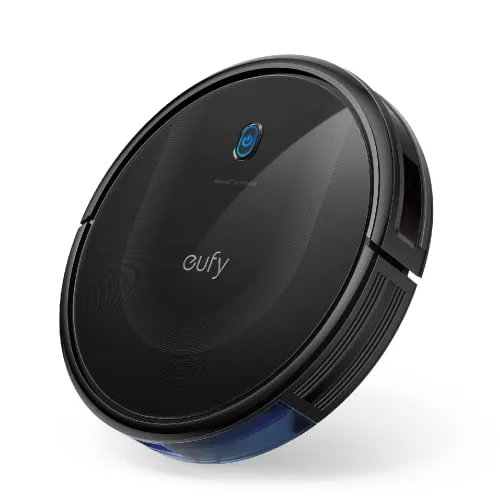
eufy 11S MAX product image

Start with your priority

  • Want no app?
    Start with the 11S MAX. Accept manual bin emptying and no mapped room commands.
  • Want maps and a dust dock?
    Compare the Q10 S5+. Plan to wash and care for the mop yourself.
  • Want less mop handling?
    Look at the E25. Reserve room to refill clean water and remove dirty water.

Compare navigation, mops and docks

Robot vacuum comparison: what changes in daily use
ModelNavigation and controlFloor cleaningWhat the dock does
eufy 11S MAXRemote / buttons; no Wi-Fi or app mapVacuum onlyCharges the robot; you empty the bin
Roborock Q10 S5+LiDAR maps; app room selection; Reactive TechVacuum plus vibrating, lifting mopEmpties dust; you maintain the mop
eufy E25LiDAR maps; app control; RGB visual recognitionVacuum plus roller mopEmpties dust, refills, washes and dries the roller

Sources: eufy 11S MAX specifications, eufy: non-Wi-Fi RoboVac models, Roborock Q10 S5+ specifications and included dock, eufy E25 specifications and care guidance, eufy E25 navigation and station comparison. These are feature differences, not a cleaning-performance ranking.

Choose for your floor plan

First, walk your normal cleaning route. Mark hard floors, rug edges, steps and narrow chair legs. Then measure the lowest furniture opening. The 2.85-inch 11S MAX and 3.90-inch Q10 S5+ do not fit the same gaps. Leave clearance rather than matching a gap exactly to the quoted body height.

Next, decide whether you want to clean a specific room from your phone. That points you toward the mapped Q10 S5+ or E25. An offline robot can still be useful if you close doors and start it in one prepared room.

For mopping, check your flooring maker's care rules first. Water-sensitive surfaces may need a different routine. A lifting mop also does not guarantee that every rug stays dry. In particular, eufy's E25 guidance recommends avoiding medium- and long-pile carpet. Read the E25 carpet instructions.

Finally, treat obstacle features as help, not a promise. Move cables, socks and pet mess before a run. A map shows where a room is; it does not prove that a robot will identify every small item on the floor.

Which of these three fits your routine?

eufy 11S MAX product image

Simple, offline vacuuming

eufy 11S MAX

The 11S MAX uses a remote and buttons, with no Wi-Fi connection. Its body is 2.85 inches high. You get vacuuming and a charging base, rather than an app map or a mop station.

Choose it if: you want an offline cleaner for routine crumbs and can clear a simple floor layout.

Look elsewhere if: you need room-by-room app commands, mopping or automatic dust emptying. You still empty its onboard bin yourself.

Source: eufy 11S MAX specifications; eufy: non-Wi-Fi RoboVac models.

Check eufy 11S MAX on Amazon
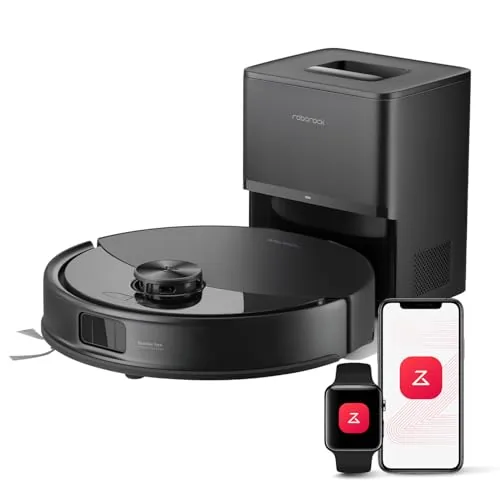
Roborock Q10 S5+ product image

Mapped cleaning with less bin emptying

Roborock Q10 S5+

The Q10 S5+ combines LiDAR mapping, Reactive Tech obstacle avoidance and a vibrating mop that lifts. The plus package adds a RockDock Plus dust-emptying dock. Its robot body is 3.90 inches high.

Choose it if: you want room selection in the app and automatic dust transfer, while handling mop care yourself.

Look elsewhere if: you expect a dock that washes and dries the mop. The included dock handles dust; do not confuse it with an all-in-one wash station.

Source: Roborock Q10 S5+ specifications and included dock.

Check Roborock Q10 S5+ on Amazon
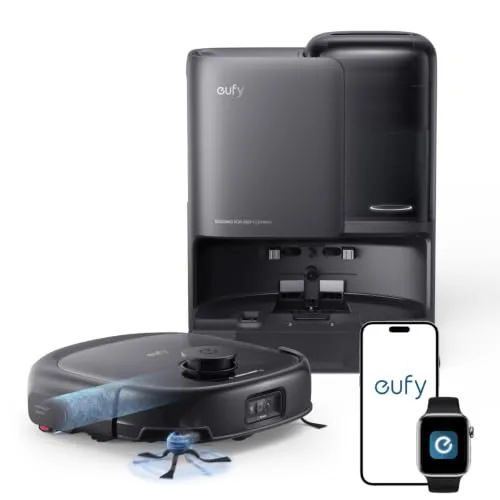
eufy E25 product image

Roller mopping with a wash station

eufy E25

The E25 pairs LiDAR mapping and RGB visual obstacle recognition with a HydroJet roller mop. Its station empties dust, refills water, washes the roller and dries it. You still need to service the tanks and cleaning parts.

Choose it if: you have suitable hard floors and want the station to take over more of the mop routine.

Look elsewhere if: you mainly clean thick carpet or have no convenient spot for tank access. Its maker advises carpet avoidance for medium- and long-pile rugs.

Source: eufy E25 specifications and care guidance; eufy E25 navigation and station comparison.

Check eufy E25 on Amazon

Plan the work left at the dock

Your robot vacuum comparison should include the work left at the dock. Automatic dust emptying and automatic mop washing are separate functions. Choose the one that removes a chore you actually dislike.

  • Charging base: allow time to empty the robot's bin and clean its filter.
  • Dust-emptying dock: add replacement bags to your budget. Check the bag and air path instead of assuming a fixed number of weeks between changes.
  • Wash station: add fresh-water refills, wastewater disposal and tray or roller cleaning to your routine. Leave space above and around the tanks.

Before ordering, place a paper outline where the dock will stand. Add the manufacturer's required approach space and room to reach the outlet. A dock that fits against the wall may still be awkward to refill under a shelf.

Then price the exact filters, brushes, mop parts and any bags or approved solution. You may prefer a simpler model if those parts are hard to find. Never transfer a sibling model's accessory list to the product in your cart.

Questions that change your shortlist

Does a bigger suction number prove better cleaning?

No. A maximum pressure specification does not show how well a robot picks up your debris, covers your rooms or handles rug edges. Use it as one specification. Compare suitable independent tests if pickup performance is your deciding factor.

Can you buy the plain Q10 S5 and assume it includes the same dock?

No. This page links the Q10 S5+ package. The plus model's official page lists an auto-empty dock in the box. Match that package name before paying; similar names do not guarantee the same accessories.

What if none of these suits your home?

Browse the vacuum and floor-care directory for more models. Keep your must-have list short: suitable floors, enough clearance, the right navigation and a maintenance routine you can keep.

How to use this comparison

Compare the published specifications and linked manufacturer sources before choosing your model. Fit suggestions explain the trade-offs of those features; they are not hands-on test results.

Product photos identify the linked models. Confirm the selected color, bundle and seller before checkout. Manufacturer sources checked October 1, 2026.

About FasterBuyers · Affiliate disclosure