Anker
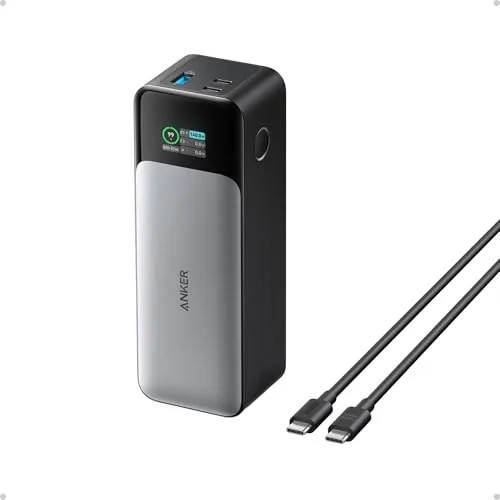
Anker 737 PowerCore 24K Power Bank
Confirm voltage, connector and supported charging protocols.
Before you buy
- Check combined versus individual port output.
- For batteries, review capacity, weight and the manufacturer's transport guidance.

Find your fit
Match charging equipment to the devices and connections you use. Capacity, output power, port sharing and included cables need to be checked for the exact variant.
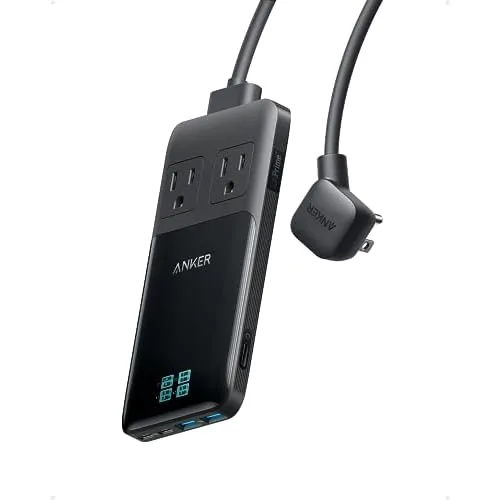
Phone charging starts with where you will charge. The Anker 737 PowerCore 24K is a power bank, while the Anker Prime 6-in-1 charging station is a desk power option. They solve different problems.
For a power bank, check the supported charging protocols, battery capacity and size. Confirm the device and cable requirements before assuming a headline output will reach your phone or laptop.
For a charging station, check the wall connection, outlet layout and USB ports you need. Leave room for your actual plugs and cable bends rather than counting ports alone.
Read the output allocation with multiple ports in use. A total wattage figure does not mean every connected device gets that amount at once.
Anker
Confirm voltage, connector and supported charging protocols.
Anker
Confirm voltage, connector and supported charging protocols.
Compatible devices negotiate supported charging levels. Check the charger, phone and cable specifications together; the charger’s maximum rating is not a promise of the phone’s charging speed.
Only if you do not need stored energy away from an outlet. A desk station organizes power at a wall connection; choose a battery-equipped product for charging when that connection is unavailable.
Sources for these buying checks: Anker: 737 Power Bank output and compatibility. Check the exact model and regional package before buying.
If you buy through a product link, FasterBuyers may earn a commission at no extra cost to you. See your source checklist.
Your browser, your choice
Google Analytics helps FasterBuyers understand page visits and product-link clicks. Choosing “No thanks” keeps it off. Changing your choice here affects future collection; it does not delete information already sent.
No choice saved in this browser.