
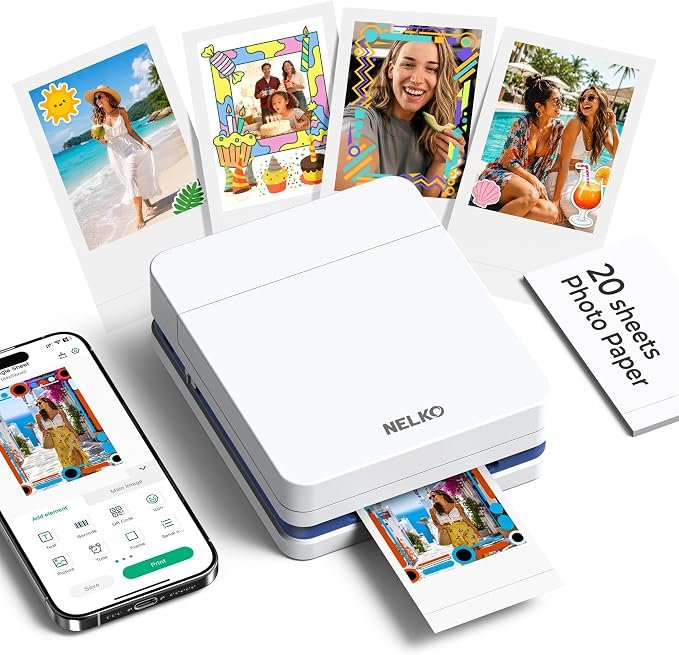
The Nelko PP01 is worth considering if your goal is to turn phone pictures into small, adhesive-backed keepsakes for a journal, scrapbook, or personal gift. Its appeal is the ability to choose a picture you already like, personalize it on your phone, and print a physical copy without setting up a full-size printer.
The buying decision comes down to three questions: Is the actual picture area large enough for your project? Are you comfortable buying both paper and ink? And will you use it often enough to justify another device that needs charging and occasional maintenance?
What you are buying
| Detail | What the Amazon listing states |
|---|---|
| Printing method | Color inkjet; requires an ink cartridge |
| Phone connection | Bluetooth through the Nelko app; iOS and Android |
| Photo format | Marketed as 2 × 3 inches; see the size caveat below |
| Weight | 308 g |
| Advertised resolution | 600 DPI |
| Advertised printing time | Under 90 seconds per photo |
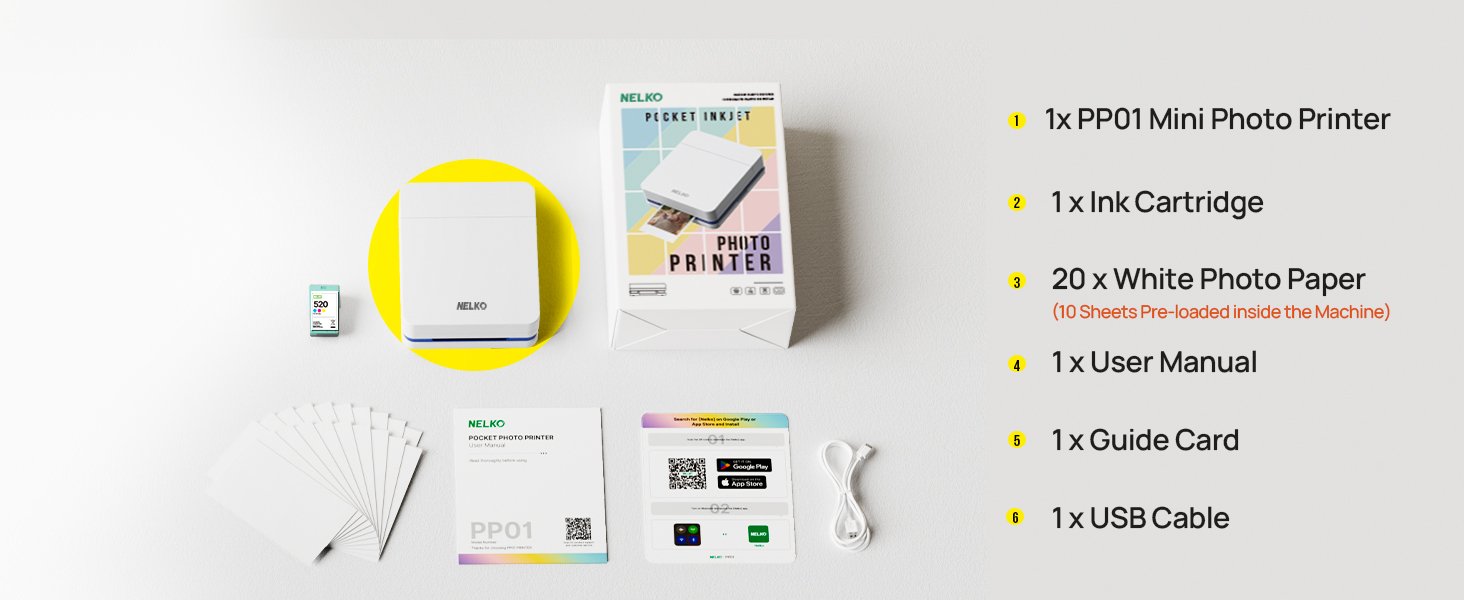
| Starter supplies | 20 sheets and one ink cartridge |
| Charging accessories | USB cable included; power adapter not included |
Check these listed specifications against the package you select. Source: Amazon listing.
The photo-size detail to check first
Plan your layout around the printed image, not the “2 × 3-inch” label. Nelko’s PP Series FAQ lists a 45 × 60 mm image area—about 1.77 × 2.36 inches—on a larger sheet. The manual differs from that FAQ in sheet width; the historical listing differs in image height. Check the sources below before ordering.
| What is measured | Dimensions | Source and limit |
|---|---|---|
| Full sticker sheet | 52.3 × 90 mm About 2.06 × 3.54 inches | Retained PP01 manual, printed page 02. This describes the sheet, not an edge-to-edge picture. |
| Series FAQ: sheet / image | Sheet: 52 × 90 mm Image: 45 × 60 mm | Nelko PP Series FAQ, checked October 23, 2026. Its sheet width differs from the manual by 0.3 mm. |
| Historical listing: image | 45 × 58 mm | September 19, 2026 listing FAQ snapshot. This differs from the current series FAQ; it is not a fresh measurement. |
Full sheet
Printed image
Try a paper sketch before buying: draw a 45 × 60 mm rectangle with a ruler. Check whether the faces, words or small details you want to keep will be readable at that size. A close portrait and a crowded group photo make different demands.
If a few millimetres or borderless output are essential, ask Nelko to confirm the usable area for your exact PP01 version. Then use the paper and ink calculator to budget for the photos you will keep, including test prints and reprints.
Real customer photos: what owners actually shared
Use these owner photos to judge the print format and borders. Amazon marked both featured reviews as Verified Purchase. Read each example as one owner’s experience.
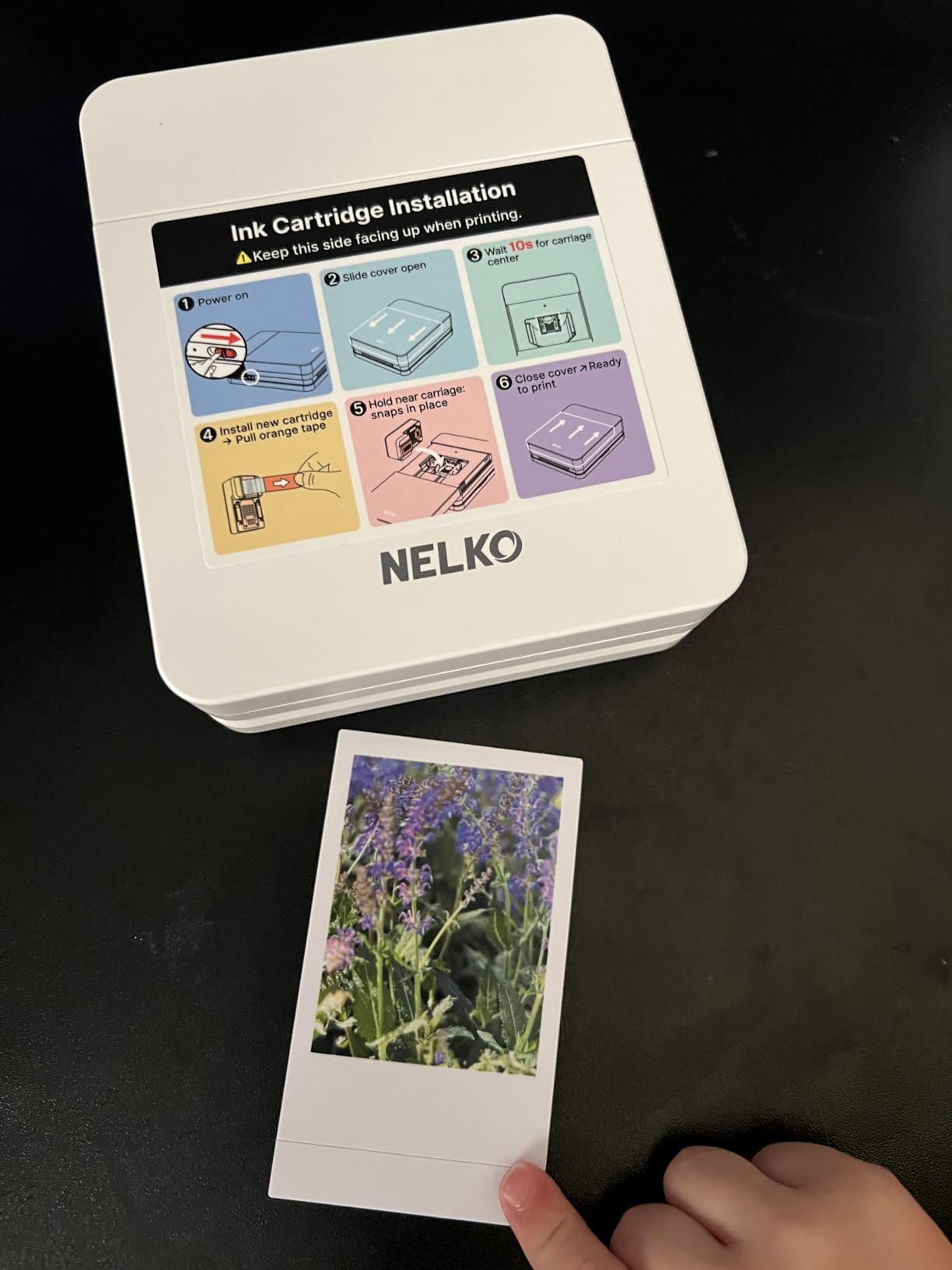
A flower photo, before and after printing
Amazon reviewer dahlia 🙂 posted a five-star review with both a flower image uploaded from their phone and a photograph of the finished print. The reviewer described straightforward setup and was pleased with the result. Source: Amazon customer review R2FDE3TB9SXJ3P.
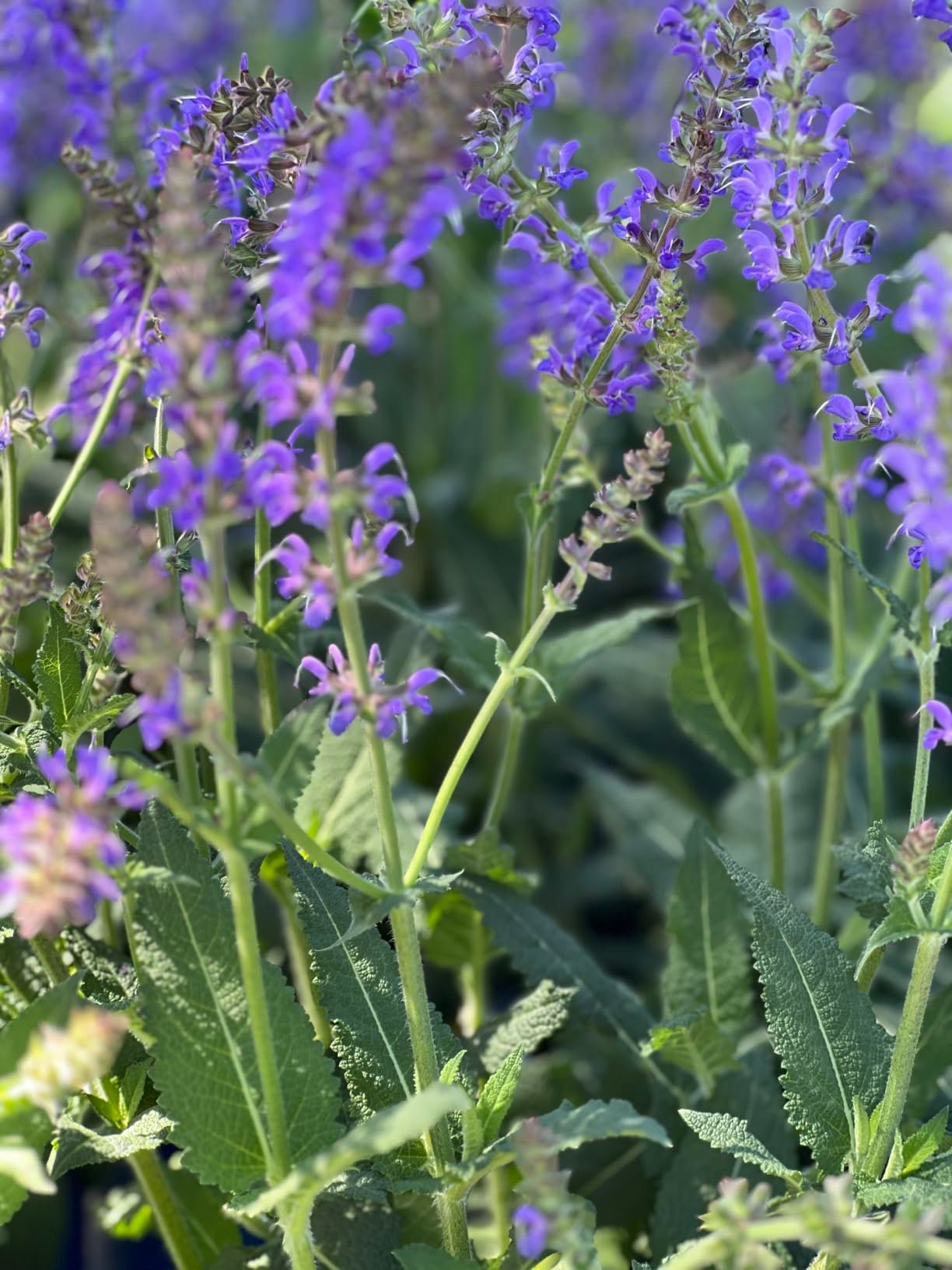
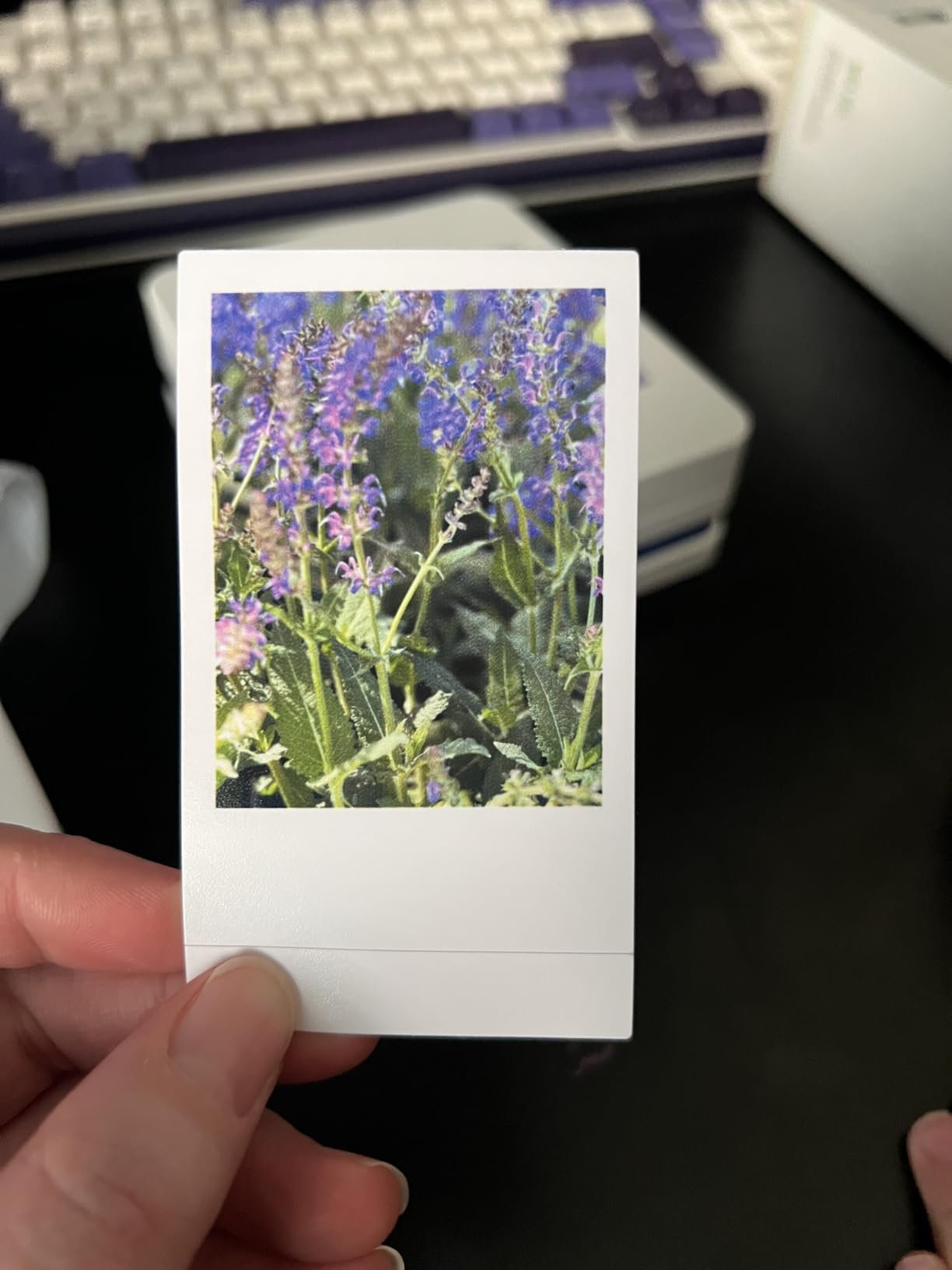
The pair gives a useful sense of the output format: the recognizable flower composition sits within white borders, with a substantial blank area beneath it. It cannot prove exact color matching. The printed photo has been photographed again under different lighting, and the uploaded files may also have been compressed.
A satisfied owner with a specific size complaint
A second reviewer, sinshady, gave the white PP01 four stars on September 14, 2026. They liked the sharp, colorful results but found the fixed printable area too small for an inspiration journal. Their attached picture shows animal-image prints with prominent white margins. Source: Amazon customer review R2PD2KBFPDM4IW.
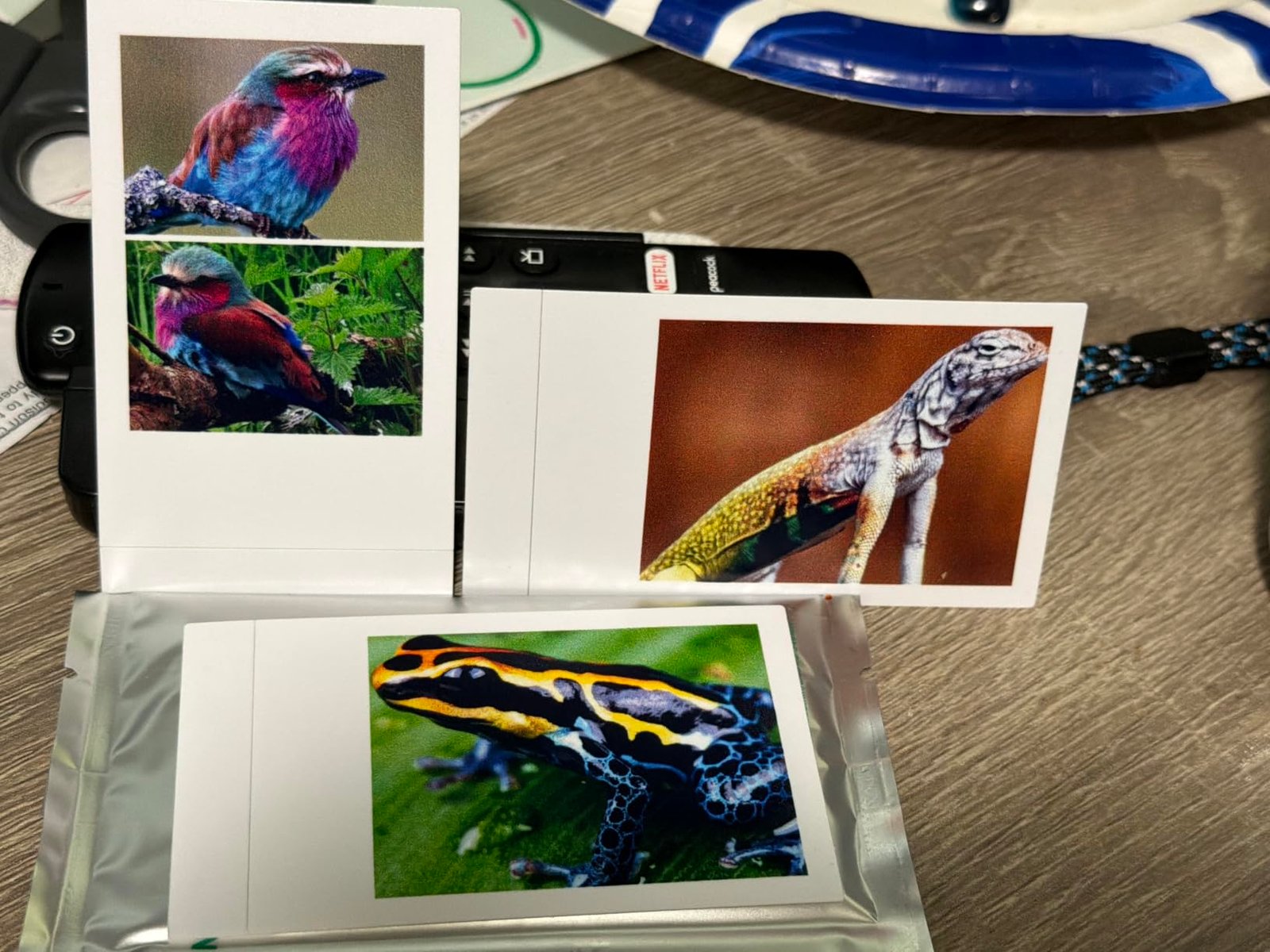
This is a useful counterpoint to the positive flower example. You can like the appearance of the prints and still find their usable size unsuitable for your project. Check the image area before ordering, especially if you need small details to remain easy to see.
Other feedback and the overall rating
For another view, read the white-variant review by Alaska & Kona, dated July 28, 2026, marked Verified Purchase. The reviewer described using the printer for dog photos and liked the adhesive backing for albums and cards. That supports the small-keepsake use case, while remaining one owner's experience. Source: Amazon customer review R2A2OU4ZB0FZLN.
Amazon displayed 4.4 out of 5 from 1,402 global ratings in the September 19, 2026 source snapshot. This is Amazon's listing-level aggregate, not a FasterBuyers rating. The listing includes feedback for different color variants, so it should not be presented as 1,402 independently reviewed purchases of this exact white SKU.
Read recent critical feedback alongside the positive examples, especially comments about cartridge use and app connection. Check the current product listing and customer feedback.
Connect your phone through the Nelko app
Your phone and the Nelko app are part of the PP01 workflow. Before buying, check the app on the phone you plan to use.
Before you buy: phone, computer and app checks
| Your question | What to check |
|---|---|
| Will it work with your phone? | The current iPhone App Store listing requires iOS 13.0 or later. For Android, open the Nelko Google Play listing on your intended phone and check installation availability. |
| Can you print from a computer? | Nelko’s PP Series FAQ says these printers use the phone app and do not support computer printing. The App Store also lists Mac compatibility for the app; that alone does not establish PP01 printer compatibility. |
| Is the app entirely free? | The App Store listing shows a free download with in-app purchases. Check the features you want before buying; a free download does not mean every design tool is included. |
Follow the connection sequence in the PP01 manual, printed pages 06–08 and 11:
- Install the Nelko app and turn on the printer and your phone’s Bluetooth. Allow the permissions requested for connection.
- In the app, tap “Unconnected,” choose “PP01,” then connect. The manual says not to pair through your phone’s system Bluetooth settings.
- Choose a photo, check its crop and send one test print before a larger batch.
Load paper with the print side facing down, with no more than 10 sheets at once. Follow the diagrams in Nelko’s PP01 manual, printed pages 04–08 and 11. If you cannot connect, check Nelko’s support page before repeatedly sending the same print.
This workflow lets you choose which pictures become keepsakes. However, if you want to print without a phone app, compare another printing system before choosing the PP01.
What should you expect from print quality?
Nelko advertises 600 DPI output, but that number alone cannot establish how natural skin tones look, how much shadow detail survives, or how closely a print matches your phone screen. Those questions require actual print comparisons.
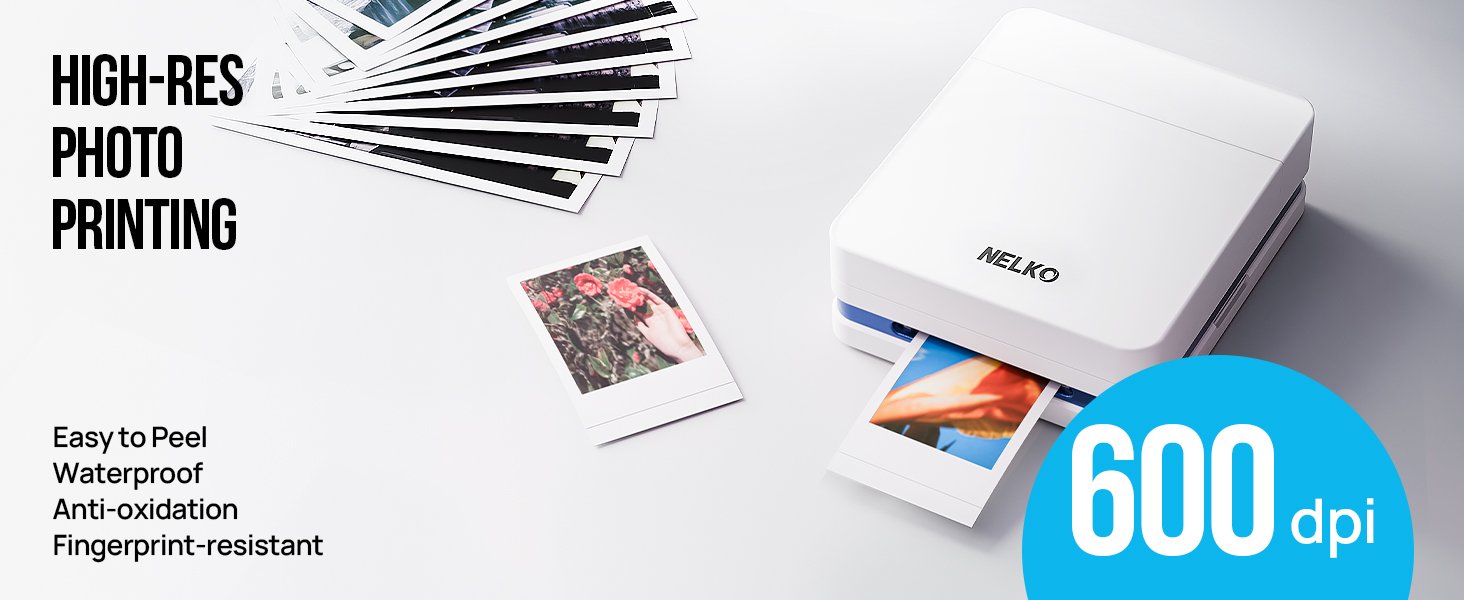
Judge the PP01 by the small keepsakes you want to make. Before printing a whole set, start with one portrait and one picture with darker areas. If you like those results at the actual output size, you will have a more useful answer than the resolution specification alone provides.
Budget for paper, ink and the whole refill
The PP01 needs compatible sticker photo paper and a separate color ink cartridge. Nelko lists the 520 cartridge for PP01 and PP03; its paper page offers several sheet counts. Match the model and pack contents before comparing prices.
The manual also says to replace the waste ink container when you replace the cartridge. Check whether the refill includes that part. A low cartridge-only price may not cover everything you need.
Use the PP01 paper and ink cost calculator to compare your estimated cost per kept photo with the cost of buying full refill packs. Enter your own yield estimate and allow for test prints; no fixed number of prints is guaranteed.
For weekly journaling, on-demand photo stickers may justify the extra supplies. For a full vacation album, compare the total cost and time with a photo-printing service. See the Nelko PP01 paper compatibility guide before ordering refills.
Strengths and compromises
| Reasons to consider it | Reasons to pause |
|---|---|
| Small format suits journals and photo crafts | The actual image area is smaller than the nominal paper format |
| Adhesive-backed paper avoids separate glue | Both paper and ink need replacement |
| Phone editing lets you choose and personalize images | App compatibility and connection are part of the experience |
| Starter paper and ink are included | The manual recommends regular use rather than long gaps between projects |
Who is it for?
Consider the PP01 if you want to make a travel journal, decorate a planner, add personal photos to cards, or print a few keepsakes at a gathering. In those situations, the small format is part of the appeal.
Look at other options first if you need frame-size photographs, a large volume of prints, or closely controlled color reproduction. Also consider your routine: the manual recommends printing at least weekly. If your projects are months apart, weigh that upkeep against having photos printed for you.
Compare the format, then choose the color
White and Milky are finishes of the same PP01 model. Compare bundle contents and refill costs, not invented performance differences between the colors. Check the White bundle or check the Milky bundle.
If your choice is really about small stickers versus larger photos, use the journal and scrapbook printer comparison. It compares the PP01 with Liene photo printers by format and project fit. For shipping labels or organizing stickers instead, browse printers and label makers by task.
For refills, go straight to the PP01 paper and ink guide. That page focuses on compatibility, pack counts and estimated costs.
Decide if the PP01 fits your project
The Nelko PP01 looks most convincing as a creative accessory for people who already enjoy journaling and scrapbooking. Its value depends less on an impressive specification and more on whether small photo stickers will become part of your routine.
Before ordering, confirm the printable area, the starter-kit contents, current refill prices, and recent owner feedback. If those fit your expectations, it is a reasonable product to consider for turning selected phone photos into tangible keepsakes.
Compatibility update: Nelko’s PP Series FAQ, iPhone app listing, Android app listing and the PP01 manual were checked October 16, 2026. These are manufacturer and app-store sources, not a hands-on test. Official refill information was checked October 1, 2026. Owner photos, listing specifications and the customer-rating snapshot remain dated September 19, 2026.
Size-source comparison: the current manufacturer FAQ and PP01 support link were checked October 23, 2026, alongside the manual retained for this review. The source differences are shown in the size table above.
Does it fit your next project?
Choose it for small photo keepsakes, after checking that the printable area and ongoing supply costs work for you.
Check price on Amazon Confirm the selected variant, bundle and refill costs before ordering.