Skip to content

Find your fit

Smart locks

Choose a smart lock around the door and the access methods you need. Remote control, automatic unlocking and guest access can depend on optional hardware or connectivity.

Explore 1 model

Check the door before choosing smart-lock features

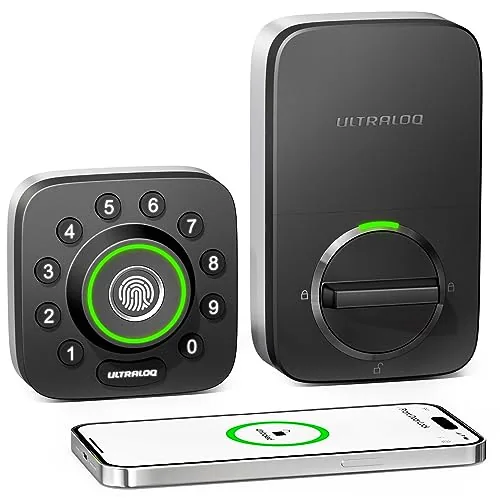
This smart locks page currently lists the ULTRALOQ U-Bolt Pro Bluetooth model. Confirm the door fit and access setup for this version before comparing features from newer or similarly named locks.

  • Door preparation

    Use the exact U-Bolt Pro guide to check door thickness, backset and the existing holes. Also check latch alignment; an app cannot correct a door that does not close properly.

  • Nearby or remote access

    Decide whether you need control while nearby or away from home. Check whether the exact package needs a compatible bridge for remote functions. Do not assume Bluetooth means built-in Wi-Fi.

  • Entry and shared access

    Confirm the supplied keys, supported entry methods and battery instructions. Plan how household members or guests will enter, including what happens if a phone is unavailable.

1 model to explore

Questions before you choose

Are U-Bolt Pro and Bolt Pro interchangeable model names?

No. Match the product label and manual precisely. A similarly named newer lock may use different hardware, batteries or connection options; those details should not be transferred to this listing.

What should you measure before ordering?

Check the door thickness, backset and bore arrangement against the exact installation guide. Inspect the strike and latch movement too, and resolve an existing alignment problem before installing a motorized lock.

Sources for these buying checks: ULTRALOQ: U-Bolt Pro installation guide. Check the exact model and regional package before buying.

If you buy through a product link, FasterBuyers may earn a commission at no extra cost to you. See your source checklist.